In short
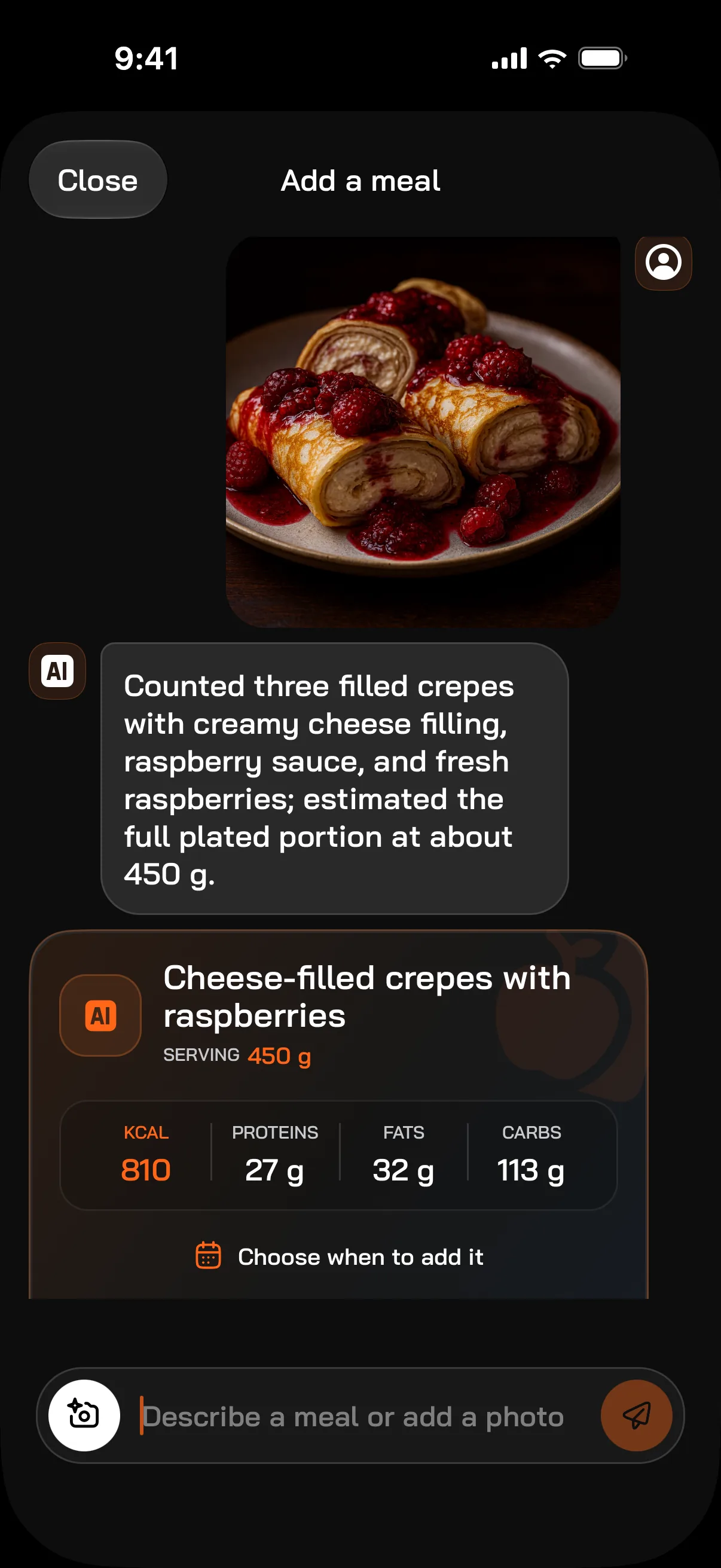
In FitMate.co you add a meal with a photo or one sentence. The AI returns the dish name, the portion in grams, calories, protein, fat and carbs, and you can correct the result before saving. On Free you get 4 photos and 4 descriptions a day; on FitMate Pro 20 photos a day and more accurate models.
How it works
Photo or description
Take a photo, pick one from your gallery or type what you eat, e.g. “oatmeal with banana and peanut butter”. You can add a short hint to a photo.
Result in seconds
The AI needs about 7 seconds on average to recognize the dish and estimate the portion in grams plus calories, protein, fat and carbs.
Correct and save
Check the result, adjust the portion if needed and choose the day to add the meal to.
Other ways to add meals
A photo is not always the best option. For packaged food the scanner is faster; for meals you repeat, copying is.
- Barcode scanner — free, looks the product up in Open Food Facts and the FitMate.co database.
- Food search — the FitMate.co database built from Open Food Facts, USDA and checked user products.
- Custom foods and dishes — save once, add with one tap.
- Copy from yesterday — when you eat the same thing, you do not type it all again.
- Fit Recipes (Pro) — recipes with calories and protein per serving, with an ingredient list to tick off.
What FitMate.co counts
For every meal: calories, protein, fat and carbs. For products from the database also fiber, sugar and salt when the manufacturer lists them. You set your daily calorie and macro goal yourself or calculate it in the app from your goal.
A photo result is an estimate. It works best for dishes you can see clearly on the plate. For sauces, cooking fat or drinks, add a short hint or correct the portion.
A diet that sees your workouts
FitMate.co is more than a calorie counter. The same app has a workout plan and a workout log, and every week a report on your diet, workouts and steps. Once there is enough data, it also shows a weight forecast.